
Signal Private Messenger
Signal FoundationCommunication
4.5137.41K Reviews
- Version
- 8.35.3
- Installs
- 100.00M
- Age Rating
- Everyone
Screenshots

Our Review of Signal Private Messenger
 Analysis by Appyee
In a shared home, messaging is rarely just about private conversations. It is how people settle who is picking up groceries, send the gate code to a visitor, or tell everyone that dinner plans have changed. I like Signal Private Messenger for households that want those everyday exchanges to feel less exposed, while still keeping the app straightforward enough for relatives who do not enjoy fiddling with settings. Its focus on private communication is useful, but it works best when everyone understands that a shared phone is not the same thing as a shared account.
One household, separate conversations
Imagine a family coordinating a busy weekday: one person sends a quick shopping reminder, another replies with a photo, and a group chat handles the last-minute change to pickup plans. Signal gives those conversations a familiar messaging format, with individual chats and groups rather than a special household dashboard. That simplicity is a strength if everyone already knows how to send a message, but it also means the household needs to agree on its own habits for who belongs in each chat and what information is appropriate to send there.
I would use a group for plans that genuinely involve everyone, not as a catch-all archive for every private conversation. A practical split might be one thread for a shared task and direct chats for personal matters. That small boundary makes it easier to find the useful message later and reduces the chance that a private reply lands in the wrong place. Signal supports group chats, but good group etiquette still comes from the people using them.
Set boundaries before handing over a device
Signal is a communication app, not a household account-management system. I would not treat one signed-in account as a family inbox or pass a phone around as though every person has a separate private space inside it. If someone else can unlock the device, they may be able to see what is available on that device; the app’s privacy design does not replace a sensible screen lock or clear expectations about borrowing phones.
That distinction matters most when a child borrows a parent’s phone to contact someone. A quick message may be convenient, but it is still being sent from the account set up on that device, not from a separate identity created for the child. I would supervise the arrangement and explain whose conversations are on the phone before lending it. For regular use by several people, separate devices and accounts are a cleaner boundary than sharing one installation.
Moving a conversation into a group also changes its audience. Before sending an address, travel detail, or a photo, I would check who is in the thread and whether the information is meant for everyone there. That is a simple habit, but it matters more than relying on a disappearing-message timer to correct a mistaken send. A timer can help manage how long a message remains available in a chat; it cannot make a recipient forget what they have already seen.
Simplicity Meets Security
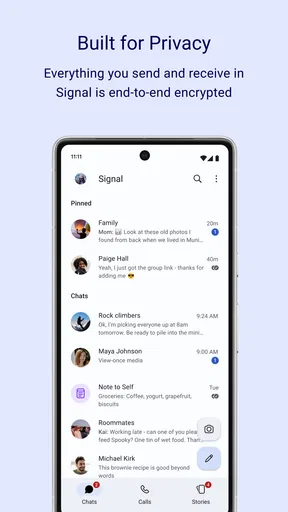
When I first installed Signal Private Messenger, I was blown away by how clean and simple the interface is. You don’t need a tech degree to figure things out here. The app is super intuitive; just open it, and you’re ready to start chatting securely. No ads, no clutter, just pure messaging bliss.
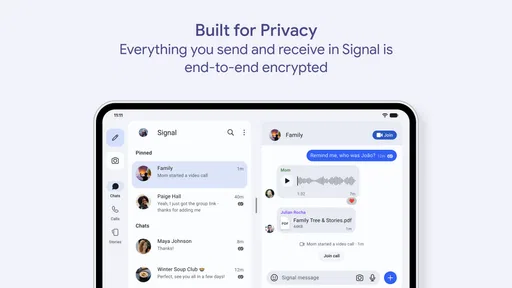
But let’s talk about the real reason you’d want to use Signal—privacy. Every message you send is encrypted, meaning only you and the person you’re chatting with can read it. Not even Signal can see your messages. That’s some next-level security right there!
Coordinating without turning the chat into a noticeboard
Signal is most useful to me when a conversation has a clear audience and purpose. A household group can handle “who is home?” or “please bring the parcel inside,” while a direct chat is better for a personal detail that does not concern everyone. If the group becomes a running stream of unrelated updates, important plans get buried. I’d keep the group focused, use clear messages that name the task or time, and move sensitive details to a one-to-one conversation with the person who needs them.
For an everyday handoff, I might message the person doing pickup with the change of plan, then post only the essential update in the household thread if everyone needs to know. That avoids making every family member responsible for tracking every detail. It also gives the sender a chance to check the recipient before sharing something that would be awkward in a larger group.
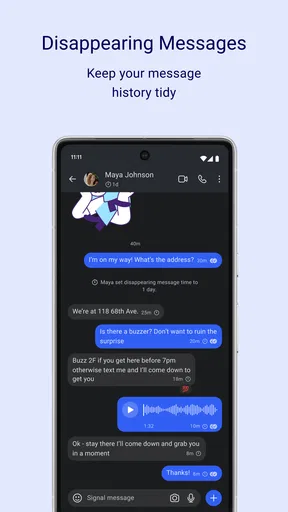
Signal’s disappearing messages can suit a short-lived exchange, such as coordinating a temporary plan, but I would not use them as a substitute for a record the household may need later. If a detail must remain easy to retrieve—an appointment time, for example—I’d put it somewhere the people involved can reliably find it rather than assume a chat timer is a reminder system. The feature is a choice about message retention, not a guarantee that nobody has kept a copy or seen the content.
How it compares with familiar messaging apps
Compared with the messaging app already used by most of a family’s contacts, Signal’s clearest distinction is its emphasis on private communication. That can make it a strong choice for people who want private chats and calls without changing to a complicated interface. The trade-off is social: a private messenger is only convenient when the people you need to reach are willing to use it too. If relatives are committed to another service, asking them to install a second app can create missed messages and split conversations across platforms.
I would choose Signal when the group values privacy enough to make that extra step worthwhile, or when a few close contacts are happy to keep a dedicated channel for personal conversations. I would not expect it to replace every communication tool in a household. A shared calendar is better for dates everyone needs to see later, and a task list is better for tracking jobs that should not disappear into chat history. Signal handles the conversation around a plan; it is not a substitute for every planning tool.
There is also a difference between privacy in transit and control over the endpoint. Encryption protects the conversation as it travels, but anyone with access to an unlocked device may still see messages available there. I treat device access, recipient choice, and group membership as part of the privacy decision, rather than assuming an encrypted chat makes every situation safe by itself.
Age, trust, and realistic expectations
Signal is rated Everyone, and that broad content rating does not decide whether it is right for a particular child or household. I would base that choice on the child’s maturity, the people they communicate with, and whether a responsible adult can help them understand group chats and private information. The app does not remove the need for conversations about unknown contacts, screenshots, or what should never be sent in a message.
For a younger user, I would first decide whether they need their own device and account, who they are expected to contact, and what the family’s rules are for borrowing phones. I would explain that a disappearing message is not a promise that content cannot be saved elsewhere, and that “private” does not mean “safe to share with anyone.” These are practical boundaries, not reasons to avoid private messaging altogether.
The app comes from the Signal Foundation, and its open-source approach is one reason privacy-minded users may find its design more inspectable than a closed system. Still, trust is not a one-time decision: people should keep their devices secure, pay attention to whom they are messaging, and install updates when available. Signal’s current Android release is version 7.67.1 and requires Android 6.0 or later, so checking compatibility is sensible before inviting someone in the household to switch.
Why Signal Stands Out
One of the things I love about Signal is that it’s open source. This means the code is available for anyone to inspect and improve, which keeps the app transparent and trustworthy. You’re not just taking their word for it; experts are constantly checking to ensure your privacy is intact.
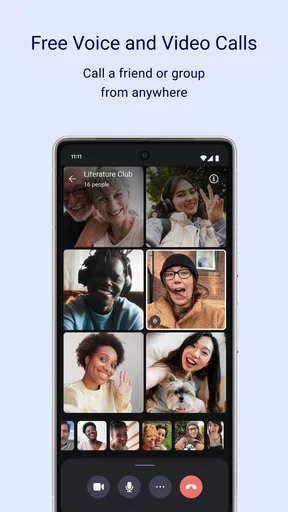
Plus, the app supports voice and video calls, which are also encrypted. The call quality is pretty solid, even with a not-so-great internet connection. I’ve had long chats with friends overseas without any hiccups.
Features That Make a Difference
Signal isn’t just about privacy; it’s packed with features that enhance your chatting experience. Here are a few that stood out to me:
- Disappearing Messages: You can set your messages to disappear after a certain time. Perfect for those "just between us" conversations.
- Custom Notifications: Want a special tone for that one person? You got it.
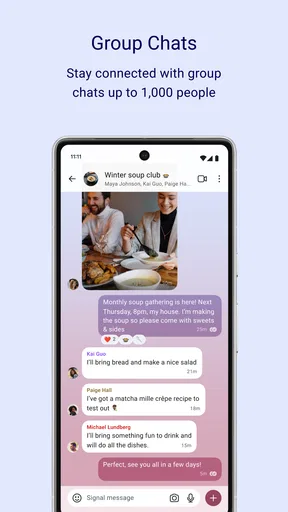
- Group Chats: Organize your group chats with ease and enjoy the same level of security as one-on-one messages.
Practical trade-offs before you switch
Signal is free to download, with in-app purchases listed at $1.99 per item. It has a 4.6 average from around 2.8 million ratings, and more than 100 million installs. Those figures suggest that it is widely used, but they do not guarantee that the people you want to contact are already there. I would ask the key group members first, then move one conversation at a time rather than announcing a complete household switch and hoping everyone follows.
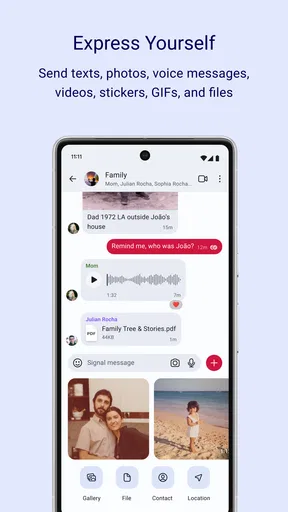
A common question is whether calls and messages can be used for ordinary coordination as well as sensitive conversations. Yes: the app supports text chats, group conversations, and voice and video calls, so a household can use it for both quick logistics and longer catch-ups. The important judgment is not to treat every exchange as equally private or equally important. For a low-stakes reminder, a familiar group thread may be enough; for personal information, I would double-check the recipient and device before sending.
Another useful question is whether Signal is the right choice if a household wants one place for everything. In my view, it is right for communication, not for storing a family’s permanent plans. Messages are easy to send, but chats can become noisy, and a disappearing-message setting is poorly suited to information that must remain available. Keep durable schedules and lists in tools made for that job, then use Signal to discuss them.
Signal’s privacy focus is also not a reason to assume that every contact will respond promptly or that every relative will want another app. If a household’s main need is reaching people who already use a different messenger, the existing service may be more practical for everyday coordination. I would not pressure someone to switch without explaining why the change matters to me; a tool only helps if the people involved actually use it.
Who I would recommend it to
I would recommend Signal to adults, couples, and households with older children who want a clean messaging app and are willing to agree on sensible device and group boundaries. It is especially appealing when privacy is a real priority rather than a nice extra, and when the people in the household can coordinate the switch together. The combination of one-to-one chats, groups, and calls covers the basic ways most people keep in touch without making the interface feel like a control panel.
I would hesitate to recommend it as the sole communication option for a household whose relatives, school contacts, or caregivers are firmly established elsewhere. It may also be a poor fit if someone expects separate family profiles on a shared phone, a built-in family organizer, or a permanent archive of every plan. Those expectations call for different tools or clearer household routines, not simply another messaging app.
Signal was released on May 25, 2010, and its longevity does not mean every person needs to use it. I see it as a focused choice: a straightforward messenger for people who want more privacy in their conversations and are prepared to manage access thoughtfully. The best setup is the one where each person knows which account they are using, who can see the device, and which group is appropriate for a message.
Features That Make a Difference
Signal isn’t just about privacy; it’s packed with features that enhance your chatting experience. Here are a few that stood out to me:
- Disappearing Messages: You can set your messages to disappear after a certain time. Perfect for those "just between us" conversations.
- Custom Notifications: Want a special tone for that one person? You got it.
- Group Chats: Organize your group chats with ease and enjoy the same level of security as one-on-one messages.
Final Thoughts
So, is Signal Private Messenger worth a try? Absolutely. If privacy is something you care about—and let’s be honest, who doesn’t?—Signal is a no-brainer. It’s easy to use, packed with features, and above all, it keeps your conversations private. Give it a go, and let me know what you think!
Privacy and Permissions
See what permissions an app requests and how it handles your data.
- Identity
- find accounts on the device, read your own contact card
- Contacts
- find accounts on the device, read your contacts, modify your contacts
- Location
- approximate location (network-based), precise location (GPS and network-based)
- Phone
- read phone status and identity
- Photos/Media/Files
- read the contents of your USB storage, modify or delete the contents of your USB storage
- Storage
- read the contents of your USB storage, modify or delete the contents of your USB storage
- Camera
- take pictures and videos
- Microphone
- record audio
- Wi-Fi connection information
- view Wi-Fi connections
- Device ID & call information
- read phone status and identity
- Other
- view network connections, create accounts and set passwords, pair with Bluetooth devices, send sticky broadcast, change network connectivity, connect and disconnect from Wi-Fi, disable your screen lock, full network access, change your audio settings, read sync settings, run at startup, use accounts on the device, control vibration, prevent device from sleeping, toggle sync on and off, install shortcuts
Verdict
Strengths of Signal Private Messenger
- End-to-end encryption ensures privacy.
- Open-source platform for transparency.
- Minimalist and intuitive interface.
- Supports voice and video calls securely.
- No ads or trackers for user data safety.
Limitations of Signal Private Messenger
- Limited customization options available.
- Requires phone number for registration.
- Group chat features are basic.
- Fewer integrations with other apps.
- Occasional connectivity issues reported.
Similar Picks in This Category
View All
Google Messages
Google LLC4.6

Gmail
Google LLC4.1

Google Meet
Google LLC4.4

Google Chrome
Google LLC4.1

WhatsApp Messenger
WhatsApp LLC4.6

Carrier Services
Google LLC4.2
Frequently Asked Questions
What is Signal Private Messenger and how does it work?
Signal Private Messenger is a secure messaging app that provides end-to-end encryption for texts, voice calls, video calls, and media sharing. It ensures that only you and the person you're communicating with can read or listen to what is sent. The app uses your phone number for identification and does not store any message data on its servers.
Is Signal Private Messenger truly secure and private?
Yes, Signal is designed with security and privacy as its core priorities. It uses the Signal Protocol, which is renowned for its robust encryption. Signal does not collect or store any personal data, and all messages are encrypted before they leave your device, meaning not even Signal can access them.
Can I use Signal Private Messenger for free?
Yes, Signal Private Messenger is completely free to use. There are no subscription fees or in-app purchases. The app is funded by donations and grants, allowing it to remain free and open-source while prioritizing user privacy and security.
What features does Signal Private Messenger offer?
Signal offers a range of features, including text messaging, voice and video calls, group chats, and media sharing. It also provides disappearing messages, which automatically delete after a set time. Additionally, Signal includes features like screen security, which prevents others from taking screenshots of your chats.
How do I get started with Signal Private Messenger?
To get started with Signal, download the app from the Google Play Store or Apple App Store. Install it and register with your phone number. After verifying your number, you can start adding contacts and sending secure messages. The interface is user-friendly and similar to other messaging apps, making it easy to navigate.
